Setting Up Your Project With URP
warning
This feature is only available from JMRSDK 4.24.1 onwards
- Import the JMRSDK_URP.unitypackage
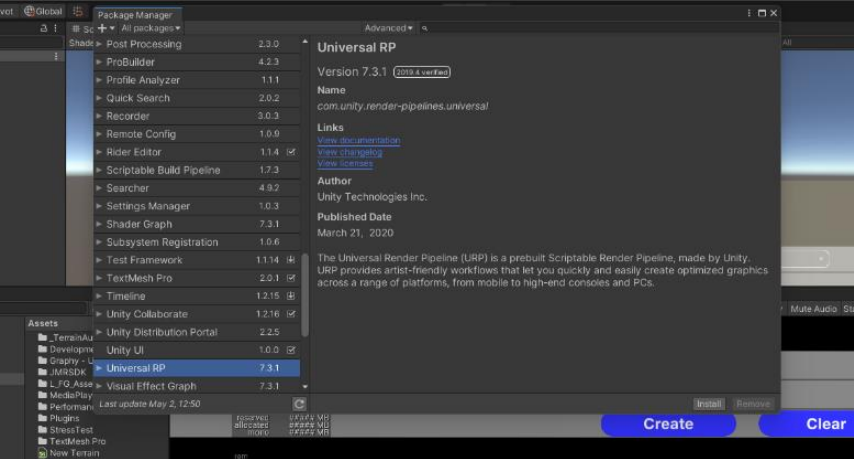
- Install URP in your project using the following steps:
- Window -> Package Manager -> Universal RP
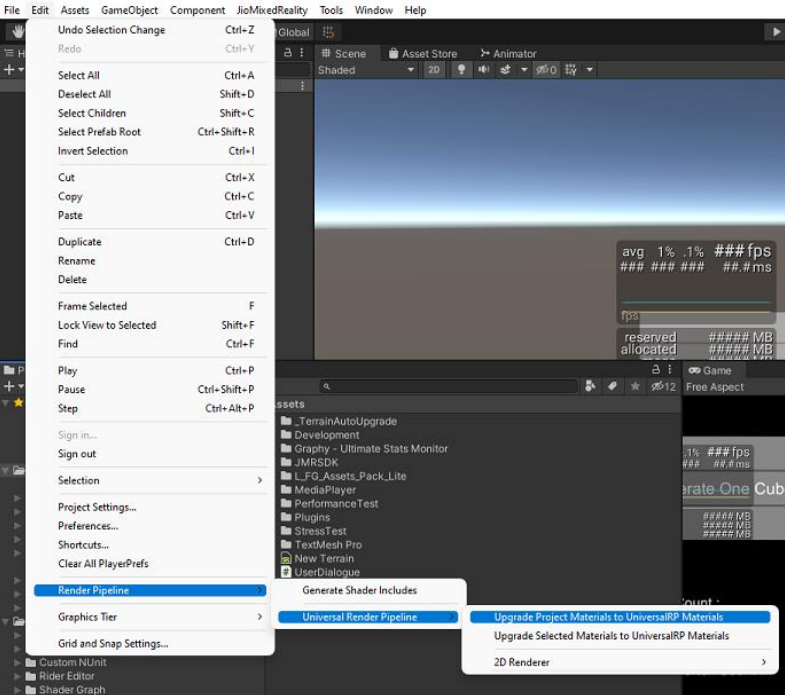
- Upgrade materials in the current project to URP materials using the following steps:
- Navigate to Edit -> Render Pipeline -> Universal Render Pipeline -> Upgrade Project Materials to UniversalRP Materials
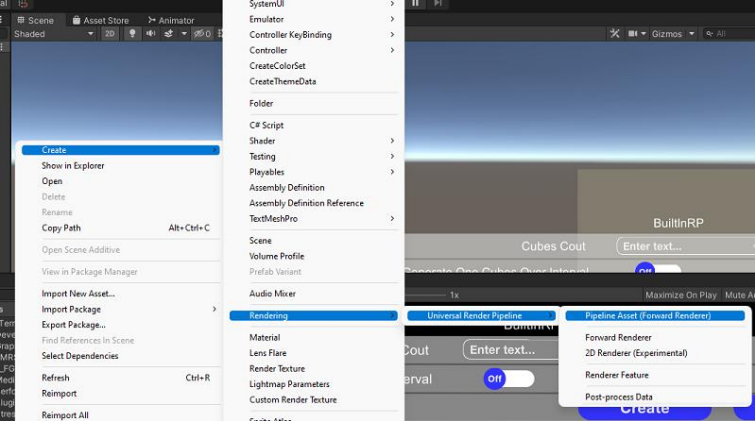
- Create UniversalRenderPipeline Asset:
- Right Click in the Asset Folder then Create -> Rendering -> Universal Render Pipeline -> Pipeline Asset (Forward Renderer)
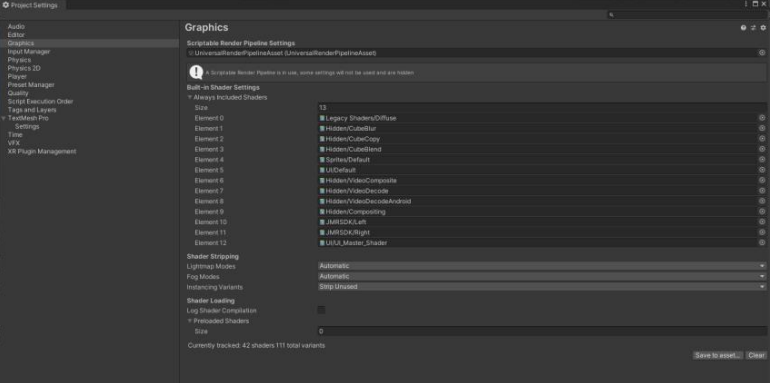
- Assign the pipeline asset you have created to the graphic settings:
- Edit -> Project Settings -> Graphics
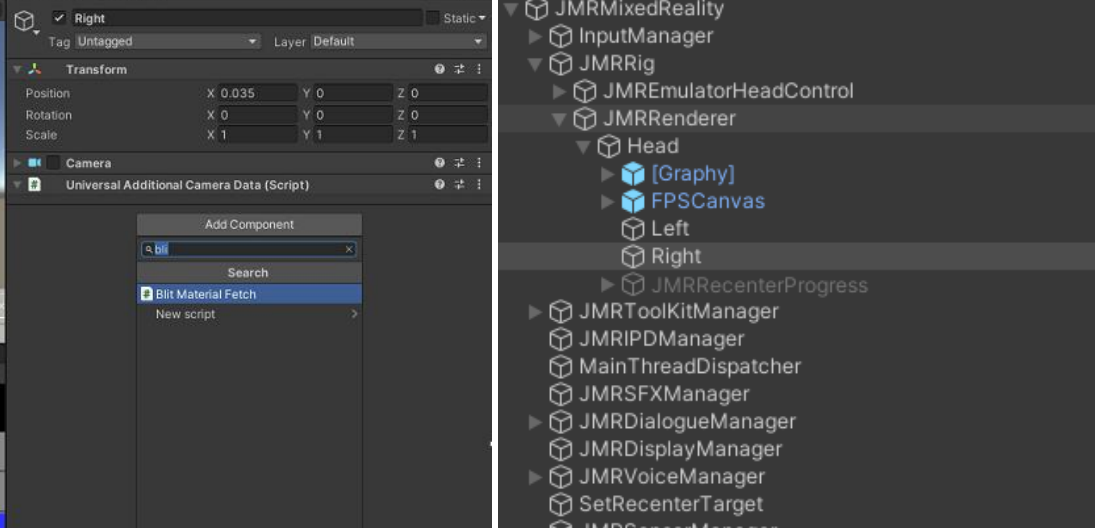
- Add BlitMaterialFetch script to the Left and Right Camera in JMRMixedReality prefab under JMRRig -> JMRRenderer -> Head. This script will be in the JMRSDK_URP_Extension folder which you will get after installing the JMRSDK_URP package.
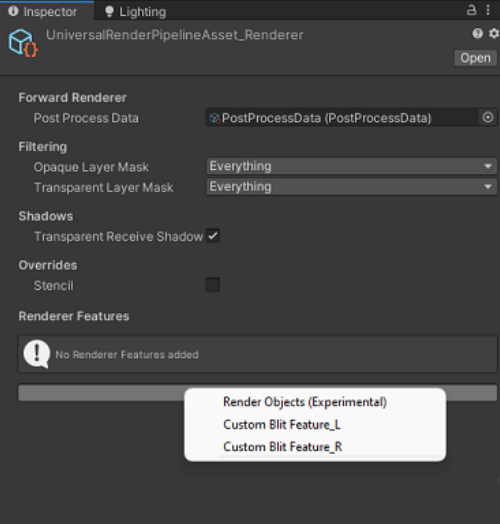
- Add the custom render features, CustomBlitFeature_L & CustomBlitFeature_R to your pipeline asset renderer. In this case, we have UniversalRenderPipelineAsset_Renderer.
- Replace the Standard shader in JMRSDK>Core>Resources>Shader with the one from JMRSDK_URP_Extension folder.