Virtual Controller
Virtual Controller
The Virtual Controller allows the smartphone to act as a controller by utilizing the sensors of the smartphone.
Virtual Controller only has single-touch functionality. Multi-tap functionality is not supported.
Virtual Controller and Virtual Keyboard will only work with JioGlass.
Incompatible with JioPrism (Holoboard) and JioDive.
Other features
- Webcast: Quickly activate the webcast feature. Detailed instructions are on the Webcast page.
- Pocket Mode: Allows users to eliminate unintended screen taps and swipes when their phone is in their pocket by disabling all touch inputs, except for rotational tracking.
- VR Background: Toggle the skybox visibility in either the left or right camera views. For more details, see the Cameras page. (Default - off)
- Hand Preference: Customize the ray origin in the applications for left or right-handed users based on user preference. (Default - Right-handed).
Compatibility
| Compatability | Virtual Controller | Virtual Keyboard |
|---|---|---|
| JioGlass | ☑️ | ☑️ |
| JioDive | ❌ | ❌ |
| JioPrism | ❌ | ❌ |
Checking Interaction Mode
To check whether the application uses a Virtual Controller, Physical Controller, or Gaze mode to update their tutorial screens with respective images and specific controller binding.
- Example Usage -
private InteractionDeviceType deviceType;
deviceType = JMRInteractionManager.Instance.GetSupportedInteractionDeviceType();
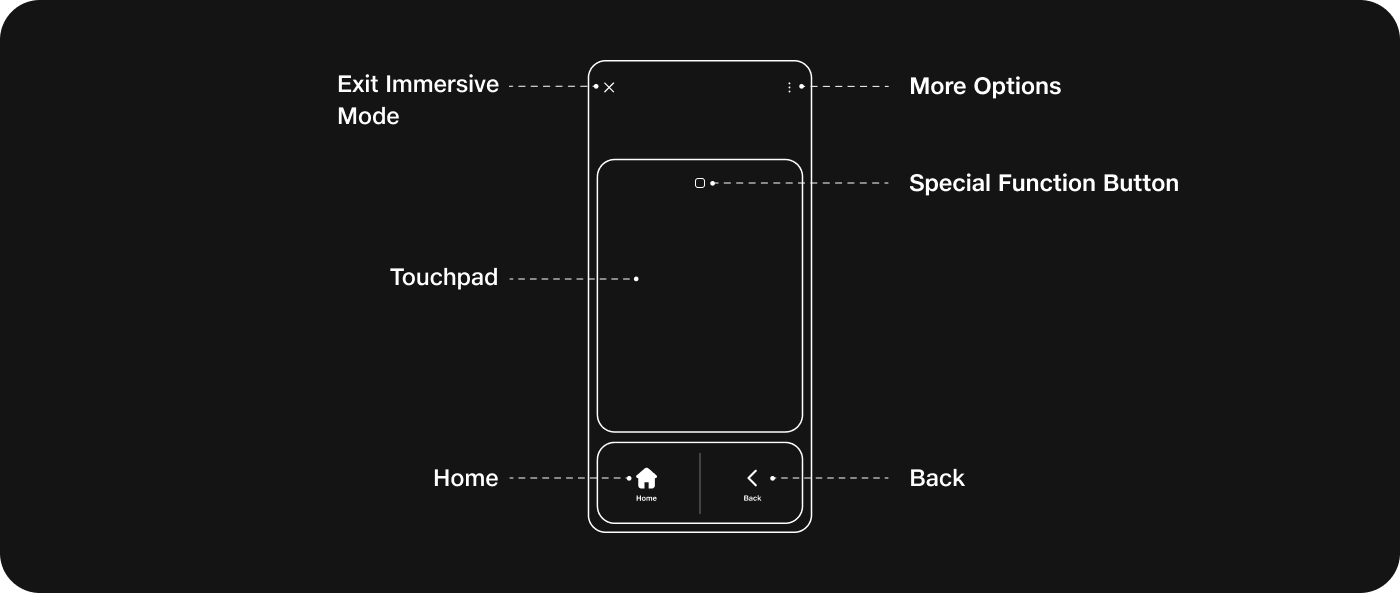
Virtual Controller Renders
Get the Virtual Controller renders or use the images below
Download Virtual Controller Renders
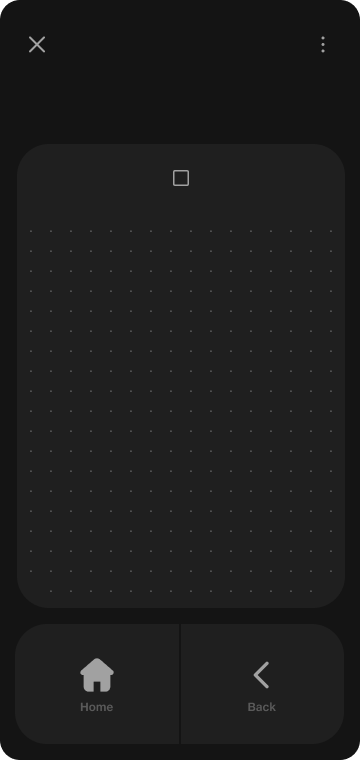 Default - VC Right Handed | 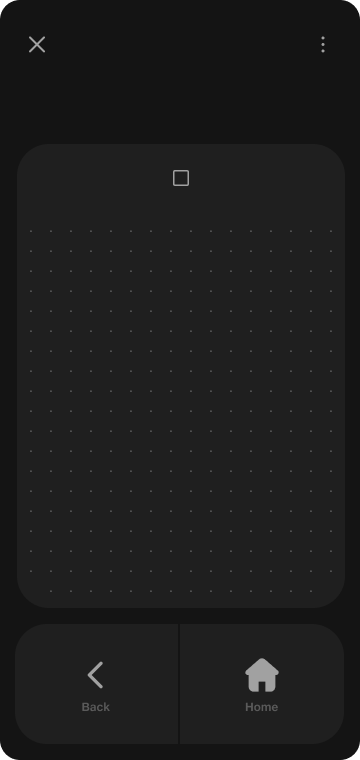 VC Left Handed |
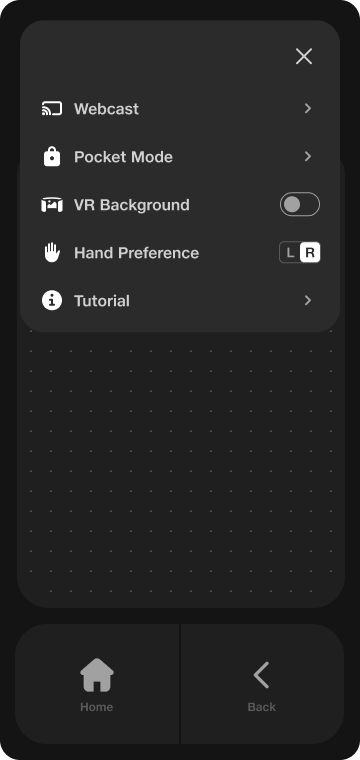 VC More Options | 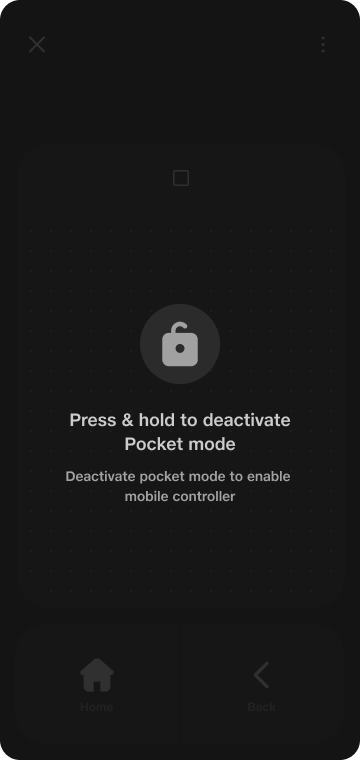 VC Pocket Mode |
Virtual Keyboard
When using the Virtual Controller, if a keyboard input is required, the system seamlessly presents the Virtual Keyboard on the smartphone. This integration enables users to conveniently type using their smartphone's interface. This ensures smooth switching between control and typing functionalities, enhancing the overall user experience.