Manipulation
Direct Manipulation of 3D GameObjects
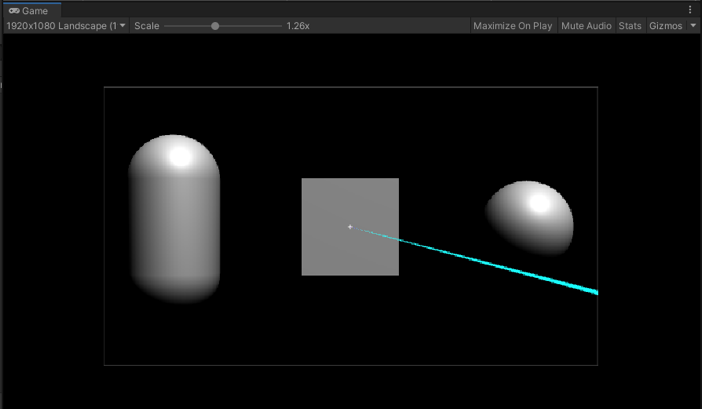
- Add a Cube, a Sphere, and a Capsule to a JMRSDK configured scene and position them as shown in the image below.
- Attach JMRManipulation script to these 3 objects.
- On the JMRManipulation script on each of these objects, select the options as shown below**:**
- Cube: IsRotatable
- Sphere: IsGrabable, IsScalable
- Capsule: IsGrabable, IsMovable
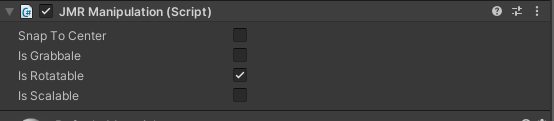
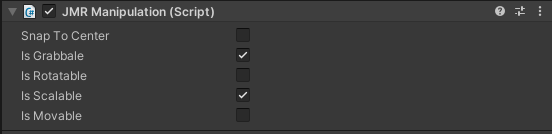
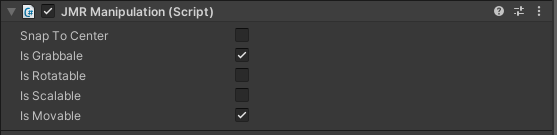
- Now play the scene and point the ray on the Sphere. Start the Manipulation action by long-pressing the Trigger button.
- The Sphere will snap to the pointer. Now you can Scale the Sphere by swiping the trackpad.
- Repeat the same process with Cube and it will Rotate when you swipe on the trackpad.
- Repeat the same process with Capsule and you will be able to Move the Capsule around the scene.
- SnapToCenter option on JMRManipulation script is an experimental feature. Selecting this option will snap the pointer ray to the Center of that object.

danger
It is recommended to use JMRManipulation2 over JMRManipulation as it is feature-rich with better stability.