iOS Deep linking
- Deep linking is necessary to access applications from the JioVerse Store within the JioImmerse iOS application.
- After providing the deep link, the application becomes accessible from the JioVerse Store within the JioImmerse application.
- Once the user installs the application from the JioVerse Store, it will appear in the list of installed applications within the JioImmerse application.
- The user can then access the installed application from within the JioImmerse application.
Generating Deep Link
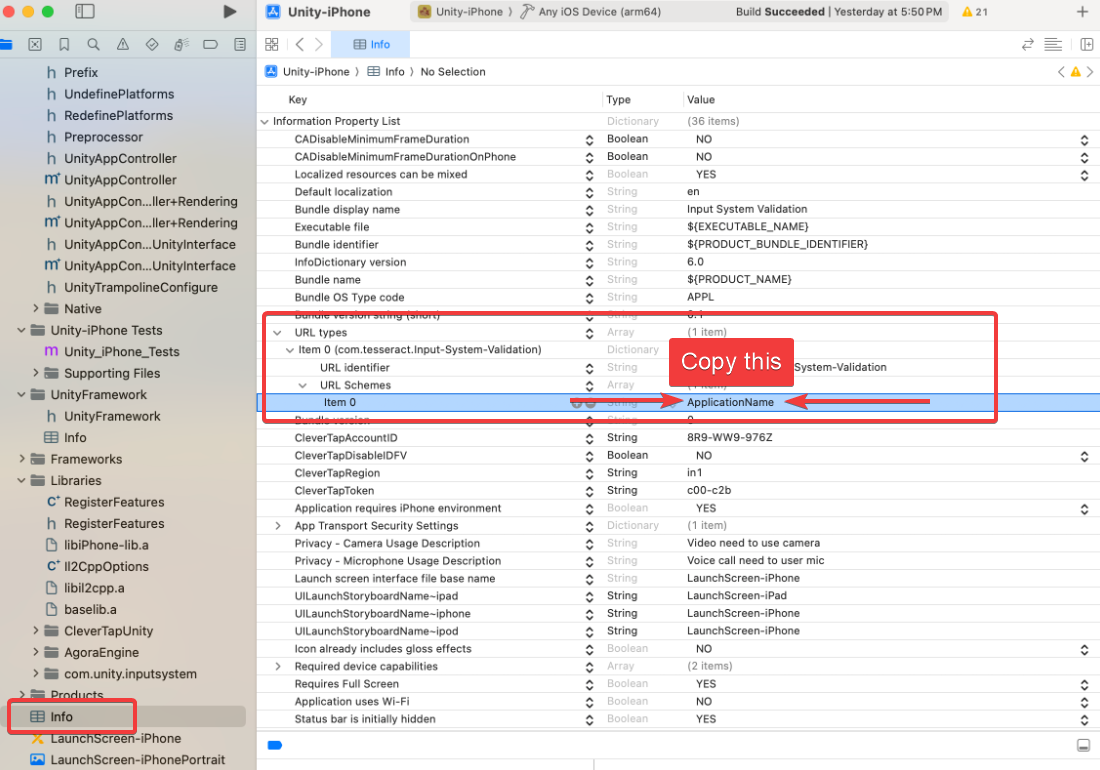
- Open your Xcode project.
- Goto Info > URL types > Item 0 > URL Schemas > Item 0
- Copy this value which resembles your application name
warning
Make sure NOT to include any special characters or white spaces; if present, remove them.
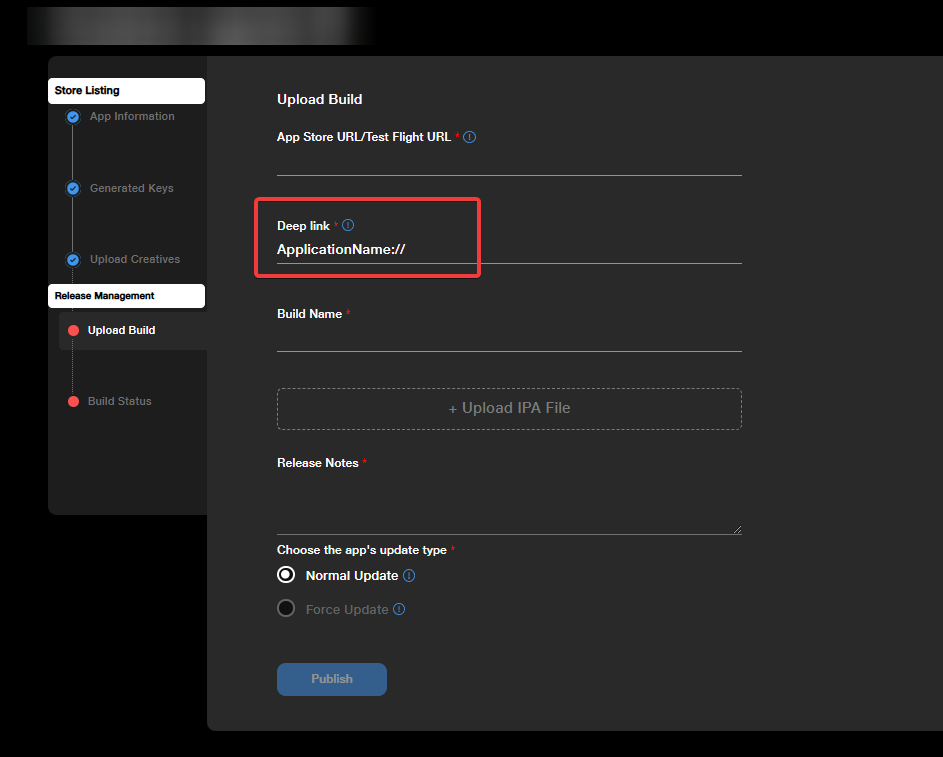
- In Developer Console go to your iOS app > Upload Build
- In the Deep link section insert value copied in step 3. Append it with
://
Example
From Step 3 you copied
ApplicationNamethen in Deep link enter
ApplicationName://
Checking Your Deeplink Functionality
To check if your deep link is working properly. Then enter your application deep link in your browser.
Check 1 -
When your application is not installed. The browser should be redirected to the app store.
Check 2 -
When your application is installed with your application containing associated domains capability. The browser should open the application.